Real-time OCR mode
Use a movable OCR capture area and a separate translation window for games, videos, subtitles, and live dialogue.
Capabilities
Thaluna is not only a live OCR window. It combines Game Lens for automatic in-place game text overlays, real-time OCR, Japanese Study, OCR preprocessing profiles, beta Audio Translation, Lens Mode, Continuous Lens, backlog history, transcript saving, built-in local models, Ollama, OpenAI-compatible local APIs, optional cloud models, hardware controls, presets, shortcuts, and manga-focused reading tools inside one Windows app.

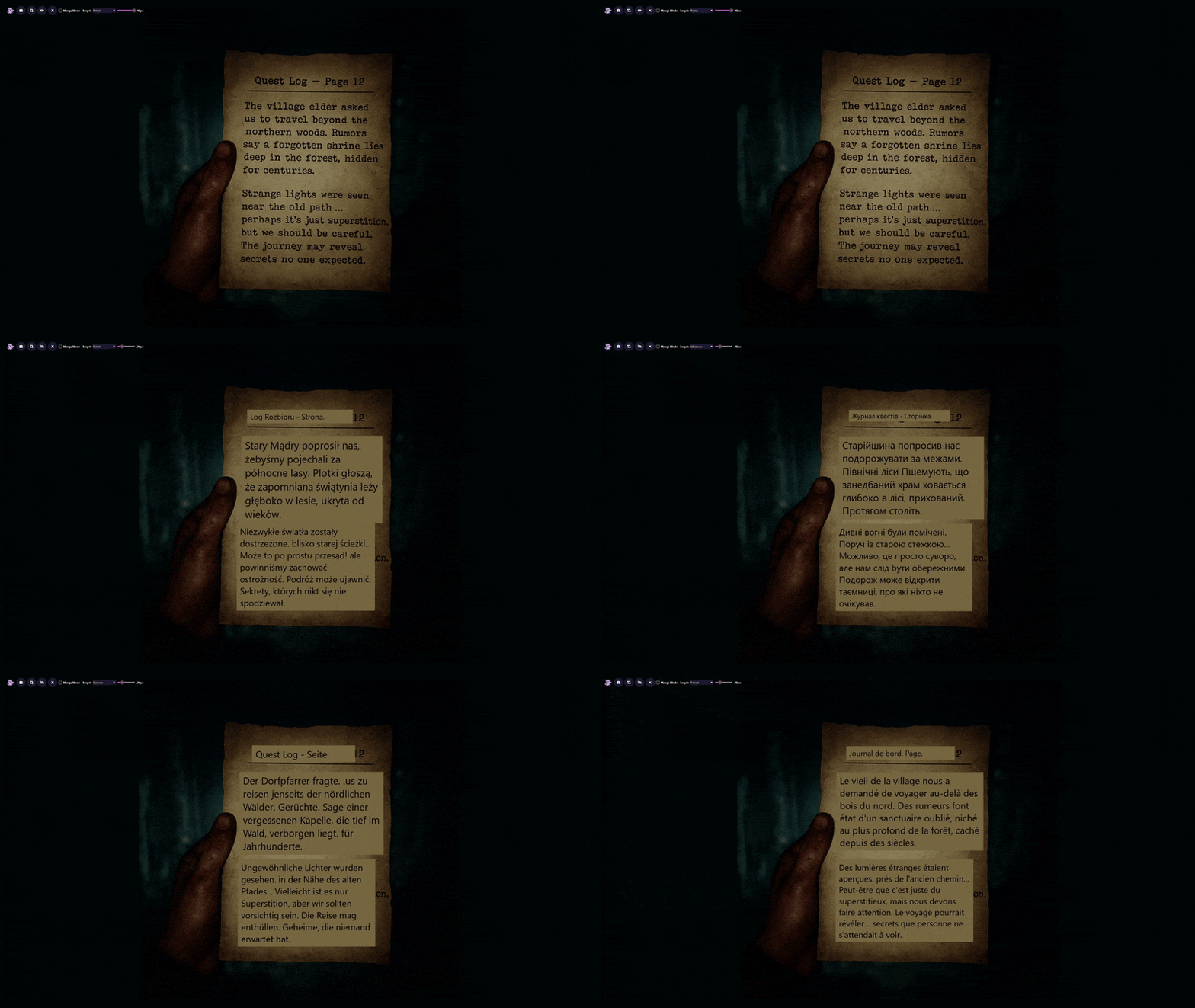
Use a movable OCR capture area and a separate translation window for games, videos, subtitles, and live dialogue.
Analyze stable Japanese OCR text with readings, romaji, vocabulary meanings, per-kanji hints, optional grammar notes, and revealable natural translations through OpenRouter.
Use live loopback/system audio transcription in Real-Time mode when OCR is unreliable or subtitles are unavailable.
Watch a selected game or subtitle region and place translated overlay boxes directly over the original on-screen text.
Switch to a snapshot-based overlay workflow for full-screen scans, selected areas, and on-image translation placement.
Inside Lens Mode, monitor a selected manga, page, or static UI area and refresh overlay translations automatically when the content changes.
Lens Mode includes manga-focused grouping for speech bubbles and comic-style layouts.
Snapshot mode includes a vertical-text option for harder Japanese layouts instead of assuming only left-to-right text.
OCR language is selected separately from the translation target, so you can match recognition to what is actually on screen.
Lens overlays support font-size changes plus text color, background color, and background opacity customization for readability on complex artwork.
Choose Off, Auto-crop only, Light subtitles, Yellow subtitles, or Custom color to help OCR read difficult subtitle and UI styles.
Inspect the processed OCR image before testing translations, useful when tuning yellow subtitles or custom text colors.
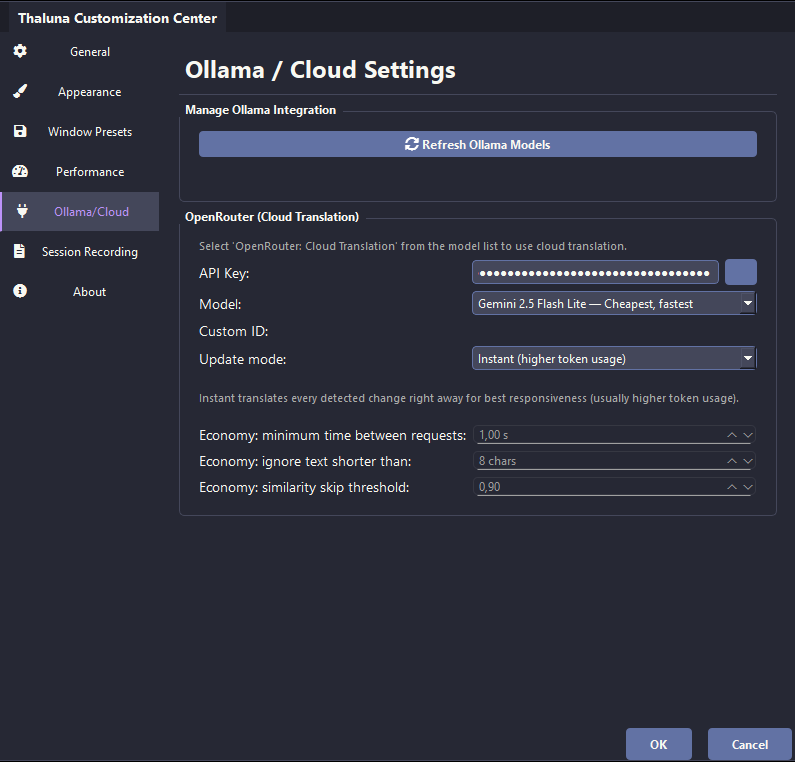
The default workflow includes lightweight local translation, so the app can work offline without forcing a separate cloud account. For rare languages, Ollama, OpenRouter, or Custom Local API may give better results.
Refresh and use your own Ollama models inside the same app when you want a local model stack beyond the built-in workflow.
Connect a local OpenAI-compatible server such as llama.cpp, LM Studio, or another compatible endpoint with a base URL, model ID, and optional API key.
Add an API key, choose a model, and use cloud translation when you want more quality or broader model choice.
Use GPT-5.6 Luna as a regular OpenRouter translation preset with reasoning disabled for lower latency. Japanese Study also uses Luna as its best-quality analysis option.
Audio Translation can use OpenRouter STT models to transcribe live system audio before sending recognized text through the normal translation backend.
Use your existing OpenRouter API key to read translated text or original OCR text aloud with selectable voice and speech speed.
The full version includes 70 standard targets plus English. Ollama, Custom Local API, and OpenRouter additionally expose Portuguese (Portugal) as a distinct external-provider target. The demo keeps its original demo language set.
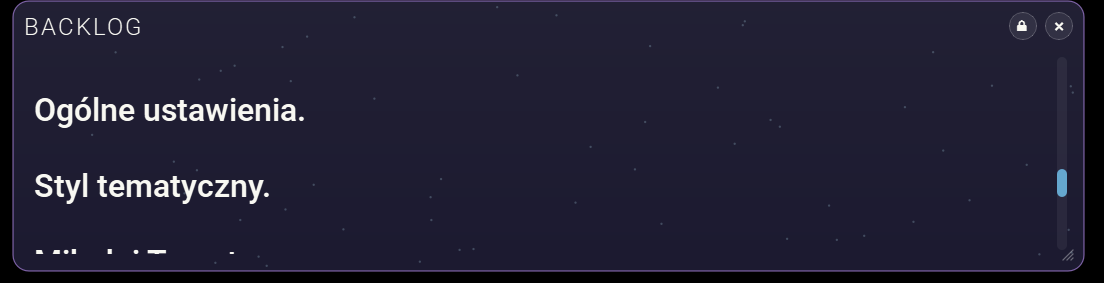
Review previous translated lines in a separate panel, similar to VN-style dialogue history.
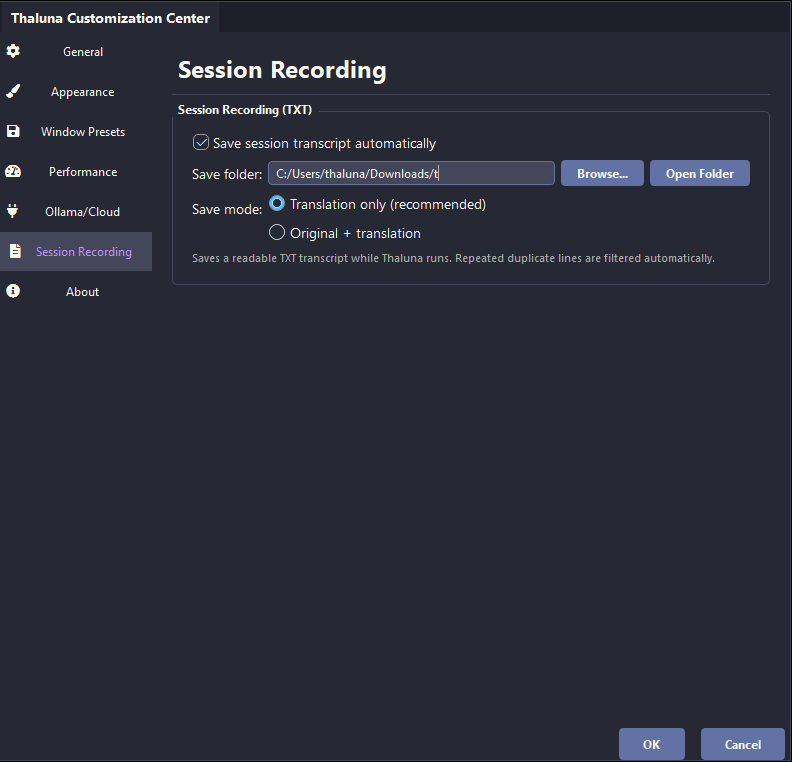
Save sessions to TXT and choose between translation-only or original-plus-translation output.
Session recording filters repeated lines so long transcripts stay readable instead of filling with repeated OCR noise.
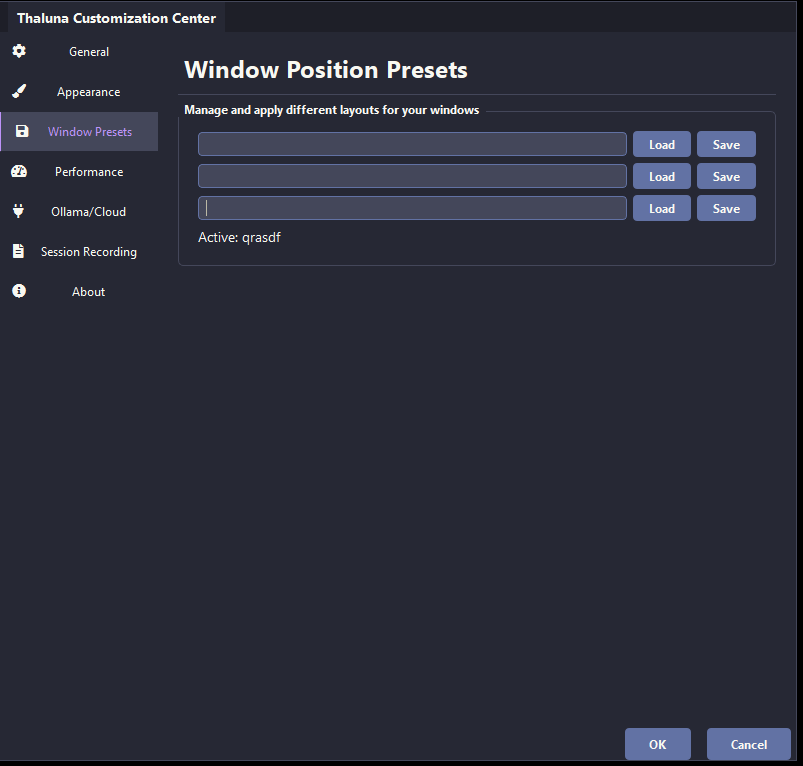
Save and load named layouts for different games, videos, emulators, or reading setups.
Hide most of the interface and keep only the translated output visible when you want less UI clutter.
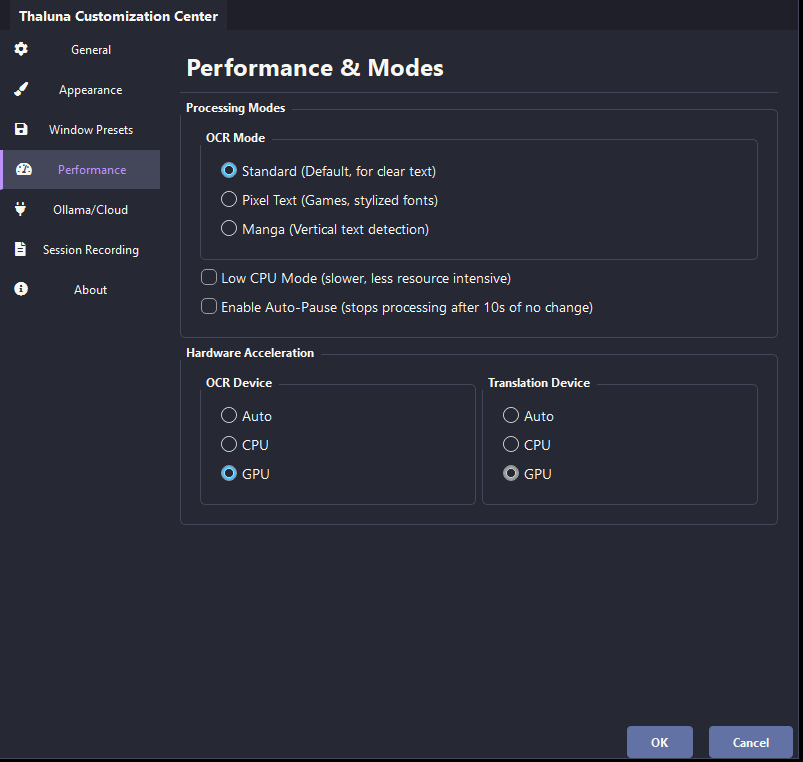
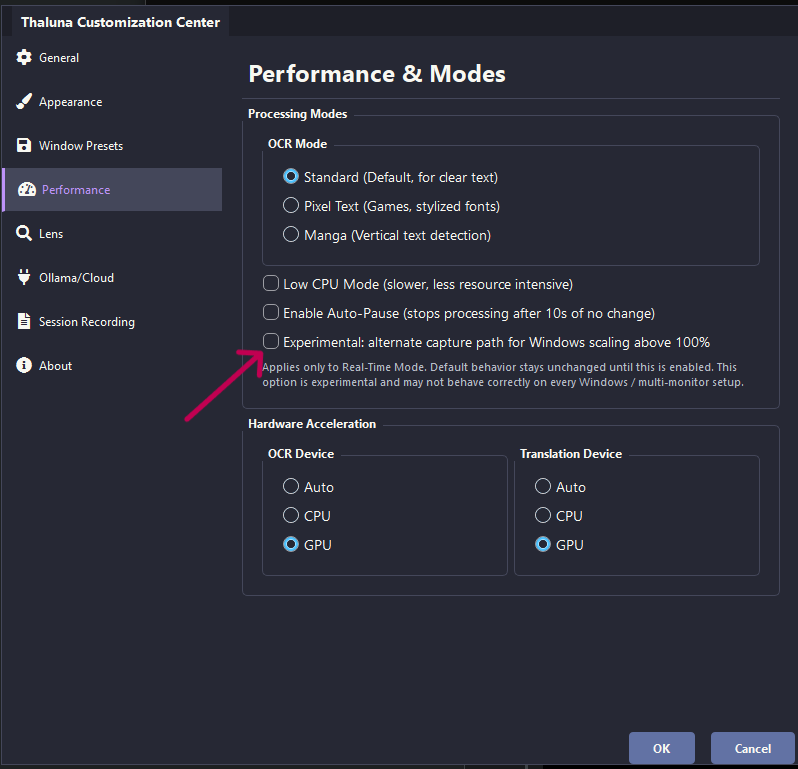
Switch between standard, game/pixel-text, and manga-oriented OCR behavior depending on the content.
Use Auto-crop only for conservative behavior, or use Light subtitles, Yellow subtitles, and Custom color when raw OCR misses stylized text.
Optionally trim excessive empty margins before OCR when subtitles occupy only a small part of the capture region.
Audio Translation includes latency presets, with Stable recommended by default for better transcription quality.
Choose CPU, GPU, or auto for OCR instead of relying on a hidden hardware choice.
Choose CPU, GPU, or auto for local translation models when you want speed or compatibility control.
Reduce refresh pressure when you are playing or reading on weaker hardware.
Pause processing automatically when the text stops changing instead of wasting resources on static scenes.
An experimental alternate capture path can improve real-time OCR alignment above 100% scaling on supported Windows setups.
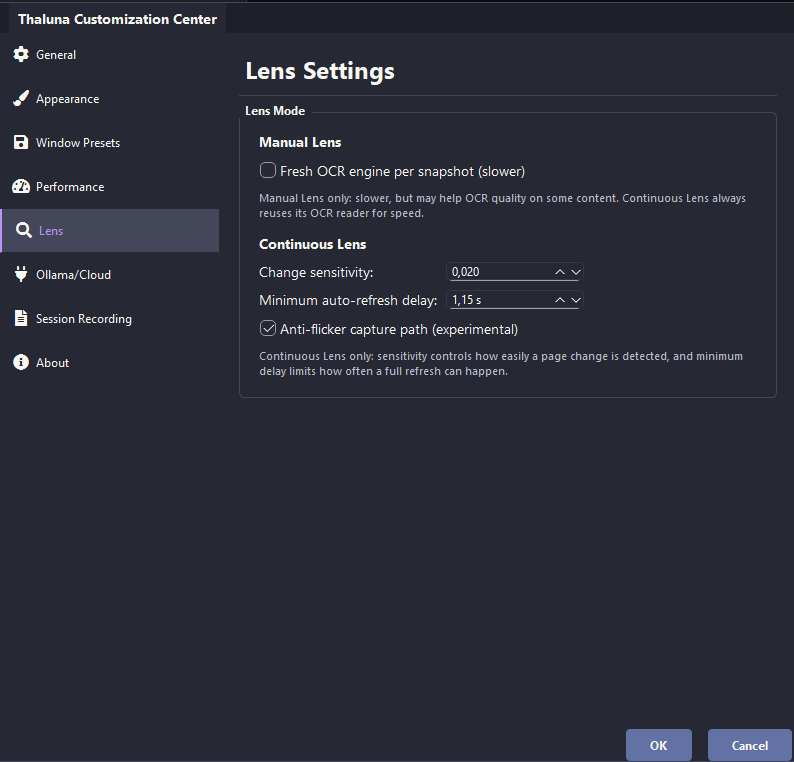
Adjust selected-area refresh behavior for manga/static regions, then use Game Lens when games need text-settling and persistent overlays.
Adjust theme, custom text color, background color, and UI color for the real-time translation window.
Lens Mode has separate text color, background color, and background opacity settings so overlay reading stays legible.
Manual Lens OCR behavior, Continuous Lens controls, Hide After timing, and overlay readability controls now live in dedicated settings instead of being buried in general performance options.
Capture physical keys or key combinations for Minimal Mode, hide icon, mode switching, snapshots, area selection, Lens translation visibility, and presets. Duplicate assignments are blocked before saving.
Font size and outline thickness are exposed so the translated output remains readable over bright or noisy content.
This page is based on Thaluna's actual current feature set as implemented and documented in the app itself: Game Lens, Japanese Study, OCR preprocessing profiles, beta Audio Translation, session transcript recording, snapshot/Lens controls, presets, hardware settings, shortcut handling, Ollama/OpenRouter configuration, and backlog behavior. It is meant to describe the real product surface, not generic marketing copy.
The best way to judge Thaluna is to test the exact workflow you care about: Game Lens overlays, live dialogue, OCR preprocessing, snapshots, backlog, transcripts, local models, and hardware settings on your own machine.