Version History
Track all updates, new features, and improvements to Thaluna Real-Time Translator, including Game Lens, OCR preprocessing, Lens Mode, Audio Translation, and local/cloud translation workflows.
Thaluna 3.3 - Japanese Study, New Language Target & Model Updates
- New: Added Japanese Study, an optional OpenRouter-powered Real-Time OCR workflow with hiragana readings, romaji, word meanings, dictionary forms, individual kanji breakdowns, pronunciation notes, grammar notes, natural translation, and configurable reveal controls.
- New: Japanese Study includes GPT-5.6 Luna as the best-quality analysis option and DeepSeek V4 Flash as the budget option. Reasoning is disabled for lower latency.
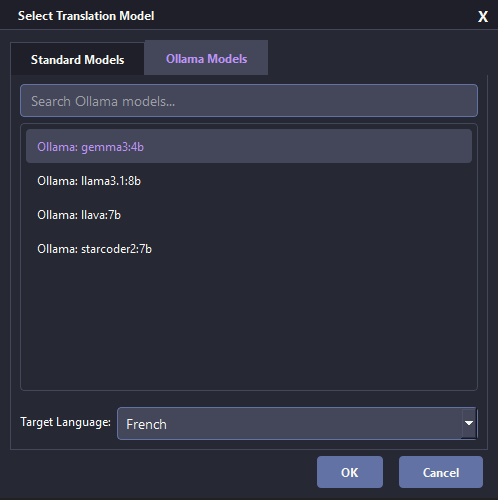
- New: Added Portuguese (Portugal) as a distinct target for Ollama, OpenRouter, and Custom OpenAI-compatible Local API workflows. The standard Portuguese option and built-in local model list remain unchanged.
- New: Added GPT-5.6 Luna with reasoning disabled to the regular OpenRouter translation preset list.
- Fixed: Replaced the removed OpenRouter TTS model with
google/gemini-3.1-flash-tts-preview and updated the available voice handling.
- Improved: Japanese Study window sizing, Minimal Mode controls, per-kanji explanations, hidden grammar/translation controls, and temporary UI behavior were refined during the 3.3 stability pass.
Read the Japanese Study setup guide
Thaluna 3.2d - Better Game Lens Visibility & Shortcut Controls
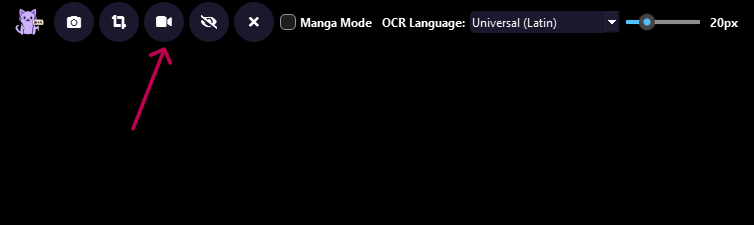
- Improved: The configurable Lens visibility shortcut can now hide Game Lens translation overlays while OCR and translation continue running in the background.
- Improved: New Game Lens translations remain hidden across automatic refreshes until visibility is enabled again, then the latest translated overlays appear immediately.
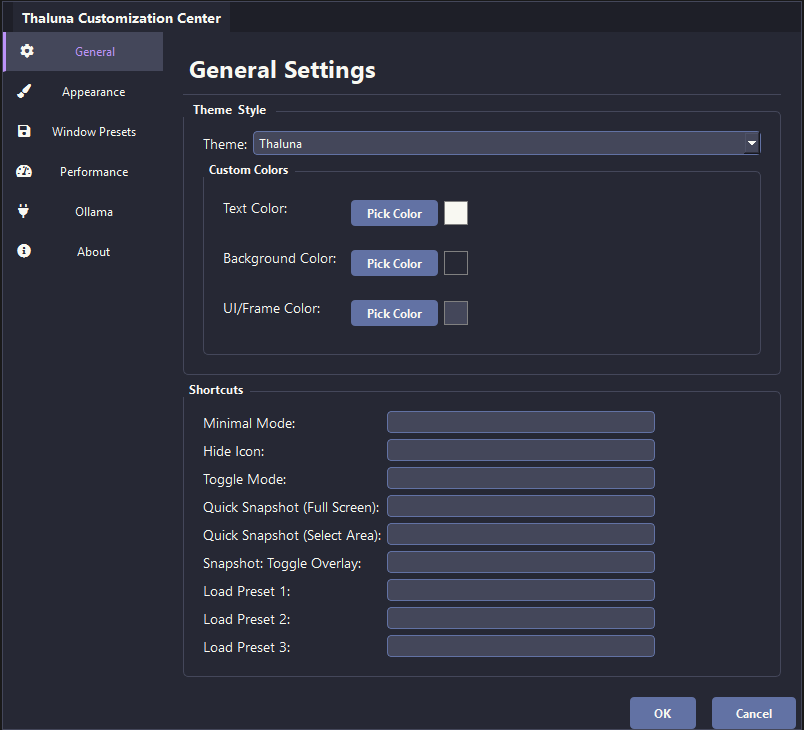
- Improved: Shortcut fields now capture physical keys and key combinations directly and display a clear
Press shortcut... listening state.
- Fixed: The shortcut clear button, Backspace, and Delete now remove assignments reliably without restoring the previous shortcut after focus changes.
- New: Duplicate shortcut assignments are marked as
Assigned and settings cannot be saved until the conflict is resolved.
- Fixed: Corrected false failed-registration messages for successfully registered Windows hotkeys.
Thaluna 3.2c - Faster Game Lens Refresh & Lens OCR Language Sync
- Changed: Lowered the minimum Game Lens / Continuous Lens auto-refresh delay from
0.10s to 0.05s for faster reaction to short or quickly changing dialogue.
- Improved: Lens Mode OCR language selection now includes the same OCR language options as Real-Time mode: English, Latin, Cyrillic, Japanese, Korean, and Chinese.
- Fixed: Lens Mode now passes the selected OCR/source language to OpenRouter correctly, preventing stale or misleading source-language information after changing OCR language inside Lens Mode.
- Improved: Added clearer language/runtime logging around Lens OCR and translation provider selection to make future language-switching issues easier to diagnose.
Thaluna 3.2b - 71 Language Options
- New: Added Swahili, Amharic, Yoruba, Hausa, Igbo, Afrikaans, Albanian, Macedonian, Bosnian, Icelandic, Irish, and Welsh to the full-version language list.
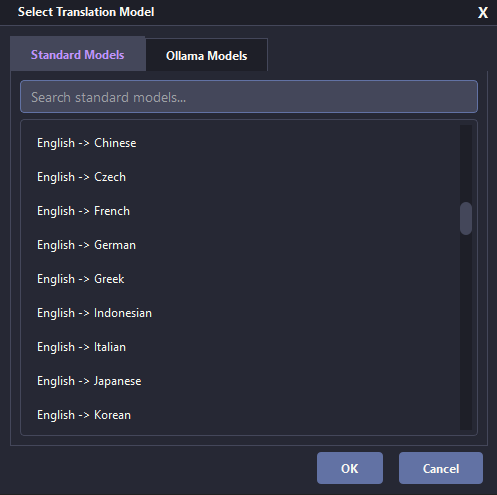
- New: Added standard workflow entries for English -> each new language plus Japanese / Chinese / Korean combo workflows through the shared language registry.
- Improved: The new languages are included in target language search and supported local, Ollama, OpenRouter, and Custom Local API target lists.
- Notes: The full build now includes 70 target languages plus English as a supported language option. The free demo keeps its original demo language set. Built-in offline quality can vary for rare languages; Ollama, OpenRouter, or Custom Local API may give better results.
Thaluna 3.2a - Expanded Language Support & Language Selection Polish
- New: Expanded full-version target language support to 59 languages for supported cloud and local API workflows.
- New: Added target language options including Hebrew, Persian / Farsi, Urdu, Bengali, Tamil, Malayalam, Punjabi, Gujarati, Marathi, Kannada, Azerbaijani, Kazakh, Uzbek, Georgian, Armenian, Lithuanian, Latvian, Estonian, Slovenian, Catalan, Malay, Filipino / Tagalog, Nepali, Sinhala, Khmer, Lao, Mongolian, and Burmese / Myanmar.
- Improved: Reorganized the internal language registry so future language additions can be handled more safely without duplicating model lists by hand.
- Improved: Added clearer target language search and more detailed language-switching logs for Ollama, OpenRouter, Custom Local API, Standard Models, Lens Mode, and Audio Translation workflows.
- Fixed: Long target language names such as Filipino / Tagalog and Persian (Farsi) now fit better inside the Lens Mode target dropdown.
- Notes: The free demo keeps the original demo language set; the new 3.2a target languages are intended for the full build. Translation quality and script rendering can still depend on the selected model, provider, and available system fonts, especially for complex scripts and RTL languages.
Thaluna 3.2 Preview - Game Lens, OCR Preprocessing Profiles & Lens Workflow Upgrades
- New: Added Game Lens mode inside Lens Mode for game and anime subtitle workflows that need automatic in-place translated overlay boxes.
- New: Game Lens can translate dialogue boxes, subtitles, item descriptions, menus, tutorials, signs, notes, quest panels, and other visible game UI text directly over the original screen text.
- Improved: Game Lens waits for slowly appearing typewriter dialogue to settle before OCR, reducing partial one-word or two-word translations.
- Improved: Game Lens keeps translated overlays visible while the source text remains visible, then clears stale text when the source disappears or changes.
- Improved: Game Lens now forces a refresh after its maximum wait time, so stale overlays can clear even when the camera or character keeps moving.
- Changed: Continuous Lens remains focused on manga, static pages, selected regions, and the original Hide After behavior; Game Lens is the dedicated mode for games, subtitles, and moving scenes.
- New: Added OCR preprocessing profiles for Real-Time OCR, Manual Lens, and Continuous/Game Lens workflows: Off, Auto-crop only, Light subtitles, Yellow subtitles, and Custom color.
- New: Added custom OCR color presets with controls for sensitivity, saturation, and mask growth so users can tune OCR for specific subtitle or UI colors.
- New: Added Preview Current Capture for OCR preprocessing so users can inspect the processed OCR image before relying on translation output.
- Improved: Game Lens coordinate mapping is more stable for direct overlay placement, including separate OCR detection handling for scaled captures.
- Improved: Minimizing Thaluna to the taskbar pauses active OCR capture and Lens timers instead of continuing to scan the desktop in the background.
- Notes: OCR preprocessing stays conservative by default. Use stronger subtitle/color profiles only when normal OCR or Auto-crop only is not enough for the current game, anime, manga, or video.
Thaluna 3.1 Preview - Audio Translation Beta, OCR Improvements & Lens Stability
- New: Added beta Audio Translation for Real-Time mode using live loopback/system audio transcription instead of screen OCR.
- New: Added OpenRouter Speech-to-Text support with source language selection, STT model selection, and latency presets.
- Changed: Stable latency is now the recommended default for Audio Translation because it gives cleaner speech recognition than lower-latency testing modes.
- New: Added optional real-time OCR auto-crop to trim excessive empty space before OCR processing.
- Improved: Calmer OCR logging and reduced repeated identical OCR log spam.
- Improved: Lens Mode stability, Continuous Lens behavior, overlay capture exclusion, manual snapshot handling, and multi-monitor usability.
- New: Added Lens customization controls for hiding the Lens UI, Hide After timing, background opacity, and overlay readability.
- Fixed: OpenRouter requests from slow reasoning-heavy models no longer block the app or delay model/provider switching for minutes.
- New: Added a Settings warning when the selected OpenRouter model looks like a reasoning/thinking model that may be too slow for Real-Time OCR.
- Changed: Updated the default OpenRouter preset list with GPT-4.1 Nano and removed slower default presets that were less suitable for realtime translation.
- Updated: Refreshed internal Python dependencies and added audio/VAD-related components to support the new live speech pipeline and reduce known dependency vulnerabilities.
- Notes: Audio Translation is marked BETA because quality depends on source audio, selected STT model, background noise, overlapping voices, and audio device configuration.
Thaluna 3.0 Preview - Local API, Lazy Loading & Stability Pass
- New: Added Custom OpenAI-compatible Local API support for local servers such as llama.cpp, LM Studio, and similar tools.
- New: Custom Local API supports configurable base URL, model ID, and optional API key storage.
- Improved: Lazy OCR/model loading reduces startup pressure and loads heavier components only when needed.
- Improved: Better Paddle/Torch DLL initialization for packaged builds, including deferred Torch runtime loading.
- Improved: More robust model switching across built-in local models, Ollama, OpenRouter, and Custom Local API.
- Fixed: Model index preservation now ignores separator rows and restores selections by model name when dynamic model lists change.
- Fixed: OpenRouter without an API key now pauses translation instead of repeatedly throwing errors or silently switching models.
- Fixed: API keys are kept out of
config.json and stored in local per-user secrets files.
- Notes: This is a Preview build focused on Local API support, lazy loading, and stability improvements.
🔍 Thaluna v2.8 - Continuous Lens, DPI Fix & Lens Improvements
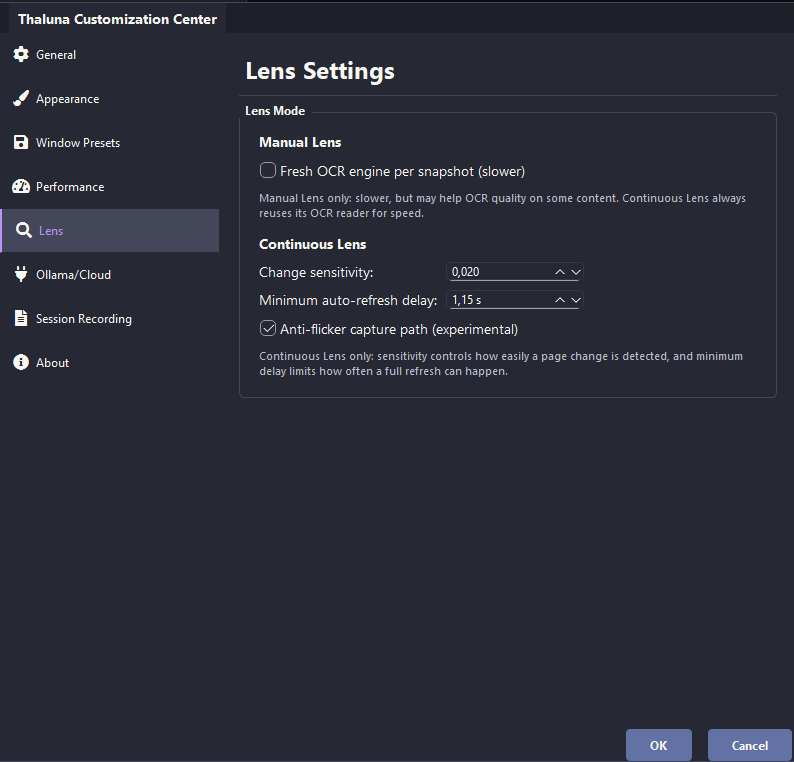
- New: Continuous Lens inside Lens Mode for automatic selected-area refresh when the image changes
- New: Dedicated Lens settings page with Continuous Lens sensitivity, minimum auto-refresh delay, anti-flicker controls, and a manual Lens OCR behavior toggle
- New: Manual Lens can optionally force a fresh OCR engine per snapshot when you want slower but potentially cleaner OCR behavior
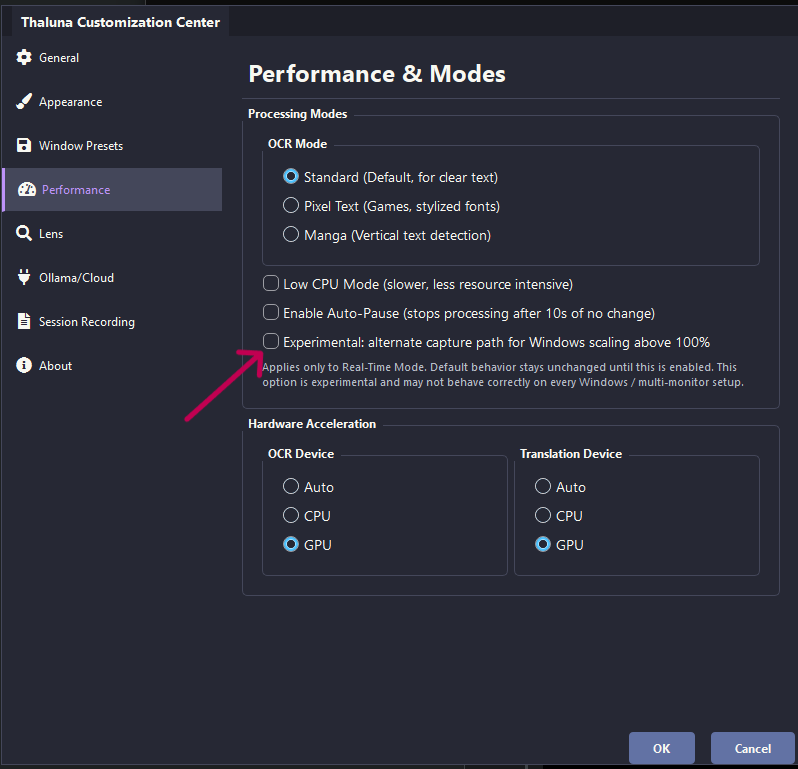
- New: Experimental alternate capture path for Windows scaling above 100% in the standard real-time workflow
- Improved: Continuous Lens now reduces overlay flicker through an anti-flicker capture path on supported Windows setups
- Improved: Continuous Lens now handles mode switching, shortcuts, and manual snapshot conflicts more safely
- Notes: Continuous Lens and the DPI/scaling fix are opt-in features. Default behavior stays unchanged unless you enable them.
📦 Thaluna v2.7 - Stability Improvements, Backlog, GPU Fix & Transcript Saving
- Improved: Clearer startup and error messages for common Windows memory/security issues, including better handling of WinError 1455 cases
- Fixed: Internal configuration synchronization between UI, worker, and Lens Mode for more reliable provider/model consistency
- Fixed: Rare Lens Mode state mismatch after specific Settings/Cancel/model-switch sequences
- Fixed: Packaged GPU OCR runtime in Full and Demo builds now bundles required CUDA/cuDNN components correctly for the Paddle GPU backend
- Improved: Internal DLL loading order for Paddle GPU runtime and better fallback diagnostics/logging in packaged builds
- New: VN-style Translation History (Backlog) overlay for reviewing recent translated lines
- New: Automatic session transcript saving to
.txt with folder selection and save mode options
- Improved: Reduced startup overhead by loading Manga OCR only when Manga mode is used
- New: OCR capture diagnostics logging to help troubleshoot rare DPI/scaling offset issues on Windows
- Notes: This update focuses on stability, packaging reliability, and UX consistency rather than OCR/translation accuracy changes
🚀 Thaluna v2.6 - OpenRouter + Stability Improvements
- New: Added optional OpenRouter cloud translation mode
- New: Preset model IDs: Gemini 2.5 Flash Lite, GPT-OSS 120B, GPT-4o Mini, DeepSeek V3.2
- New: Custom OpenRouter model ID support
- New: Instant / Economy update behavior for cloud mode
- New: Cloud mode can reduce local GPU load in heavier games
- Fixes: Improved output-language enforcement for OpenRouter responses
- Fixes: Improved fallback behavior when cloud key is missing or invalid
- Fixes: Safer request + caching behavior to prevent cross-language mix-ups
- Security: API key stored per-user in LocalAppData, with automatic legacy migration
- Notes: OpenRouter model names are convenience presets only; Thaluna does not host or distribute third-party models
🆓 Demo: All Languages & UX Fixes
- All 30+ languages now unlocked in Demo
- Translation limit increased: 30/day (was 20)
- Auto OCR language detection when switching models
- GPU fallback to CPU if initialization fails
- Fixed VRAM leak and memory management
📦 Stable: New Languages & Critical Fixes
- 12 new languages now stable: Arabic, Hungarian, Dutch, Finnish, Danish, Norwegian,
Bulgarian, Serbian, Croatian, Slovak, Hindi, Russian
- Fixed crashes for non-ASCII usernames (Cyrillic, Arabic, Chinese)
- Experimental channel replaced with Diagnostic build
- Better error messages for missing system components
- RTX 5000: OCR on CPU recommended until framework support added
🧪 Experimental: Language Expansion
- 11 new languages: Hungarian, Dutch, Finnish, Danish, Norwegian, Bulgarian, Serbian,
Croatian, Slovak, Hindi, Russian
- Direct translation from English + two-step via English for JA/ZH/KO
- File logging system (logs at %LOCALAPPDATA%\Thaluna\logs\)
- CMD console window removed from startup
- Auto log rotation (max 3 files)
Experimental Channel & Arabic Support
- Experimental build channel for early features
- Arabic language support
- Arabic-compatible font with automatic switching
- Improved RTL text handling
Translation Stability Hotfix
- Improved OCR and translation synchronization
- Correct OCR language selection on startup
- Fixed UI layout issues when resizing
- General stability and consistency fixes
New Languages & UI Refresh
- New languages: Greek, Indonesian, Swedish, Thai, Vietnamese
- Japanese, Korean, and Chinese available as targets
- Redesigned language selection menu
- UI polish and configuration stability improvements
The Customization Update
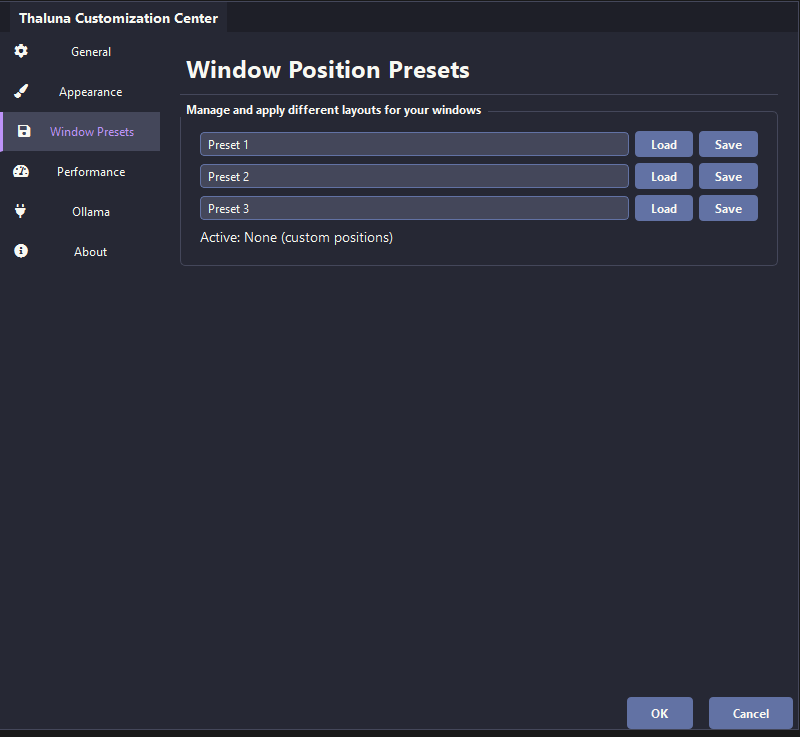
- Presets system for saving and switching layouts
- Customizable UI colors
- Global shortcuts system
- Refreshed settings menu
- Automatic GPU to CPU fallback
OCR Startup Models Fix
- Faster first launch with pre-bundled OCR components
- No changes to v2.1 features
The Manga & Stability Update
- Snapshot Mode: move, resize, and remove translation boxes
- Vertical Japanese support for manga speech bubbles
- New OCR language selector for accurate detection
- OCR on GPU option with automatic CPU fallback
- Improved model switching and memory cleanup
Major Update: Lens Mode & Manga Mode
- Lens Mode for full-screen or region translation
- Manga Mode optimized for speech bubbles
- New language: Turkish
- Customization for subtitle and box colors
- Stability fixes for CPU and GPU switching
Now Supports More Languages
- New built-in targets: Portuguese, Italian, Romanian, Czech, Ukrainian
- Lightweight models for low-end PCs
- Ollama support for broader language coverage