Thaluna Mascot
Thaluna SCREEN TRANSLATOR WIN · ANDROID · LINUX
Offline Translation Models Included Out-of-the-Box NO ACCOUNT NEEDED · NO API KEY REQUIRED · ONE-TIME $4.99 PURCHASE

Translate games, visual novels & manga
directly on your screen.

Select any dialogue box or manga page once. Thaluna reads the text on screen and places the translation right over the game—or in a separate movable window.

✓ Works Offline Right Away ( models included in download ) ✓ No Game File Edits ( screen overlay ) ✓ 71 Target Languages ✓ $4.99 One-Time Payment · No subscription
GAME LENS · JAPANESE → ENGLISH · IN-PLACE OVERLAY
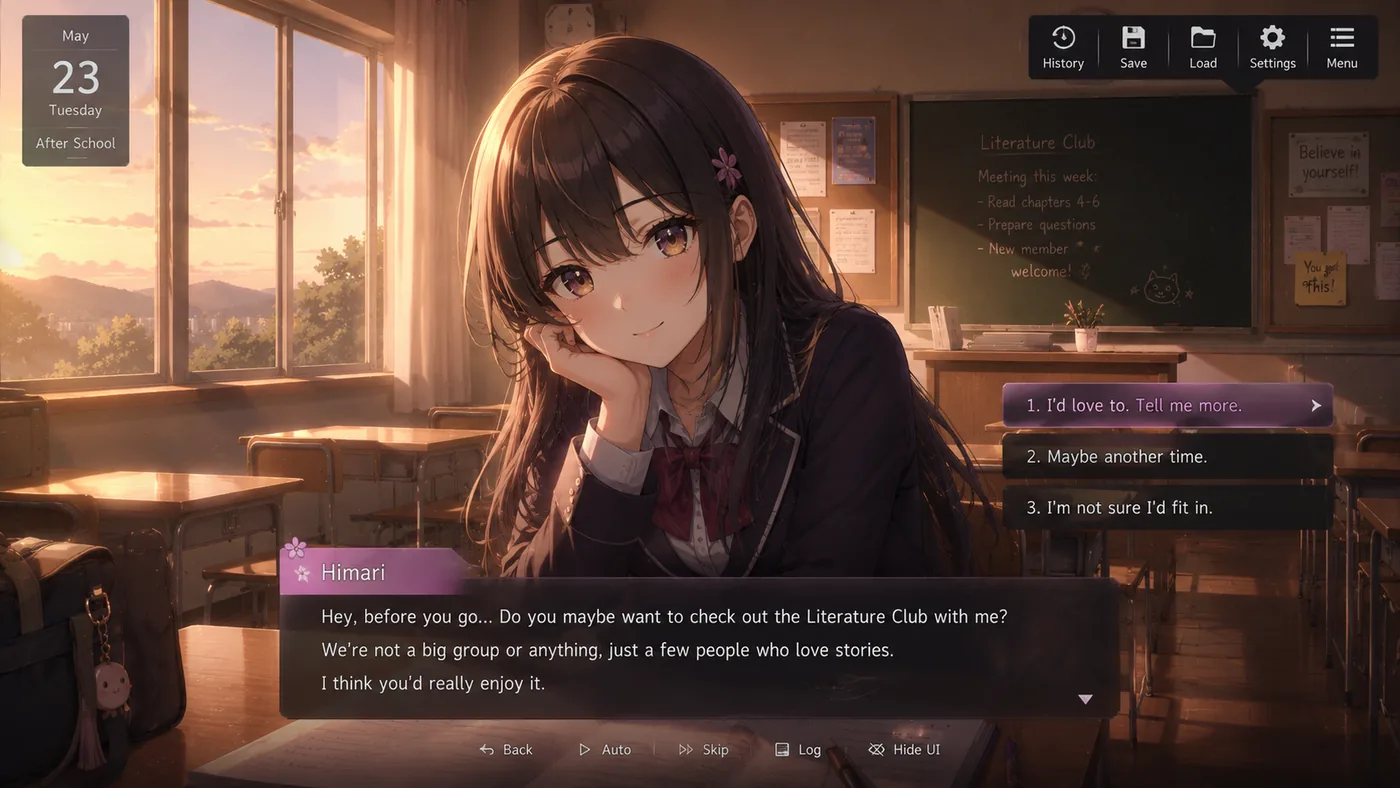
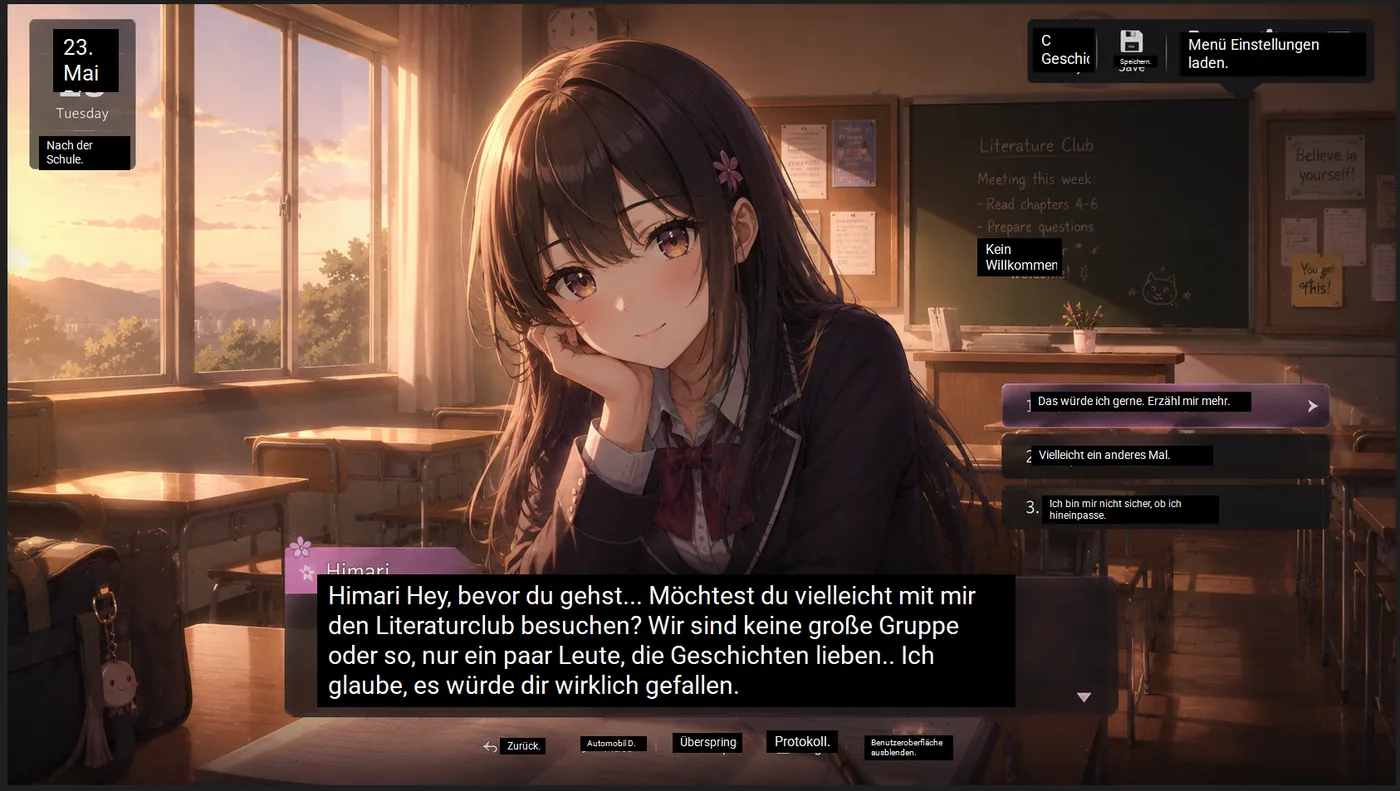
Game Lens: selecting the Japanese dialogue area and translating it in place into English
Original Japanese visual novel dialogue before translation Translated visual novel dialogue with Thaluna Game Lens WITH THALUNA (TRANSLATED) ORIGINAL JAPANESE
Windows · Android · Linux

Get Thaluna. No subscriptions.

Choose your platform and how you prefer to install it. Windows downloads include the offline translation models right inside the package.

WINDOWS 11 (x64) SIGNED BY MICROSOFT

Microsoft Store

Install and receive automatic updates directly through Microsoft Store on Windows 11. Regional pricing available.

Local price one-time purchase US base price $4.99; lower prices in selected countries
  • Automatic Microsoft Store installation & updates
  • Download about 7.6 GB; installed about 11.3 GB
  • All 4 reading modes & 71 target languages
  • One-time purchase · No subscription
ANDROID 8.0+ FREE + 1-TIME PRO

Google Play

Translate mobile games and manga on your phone with Game Lens and Nearby Lens. 30 free translation batches every day.

Free + Optional Pro 30 free batches/day · Lower local Pro prices
  • Game Lens (in-place) & Nearby Lens (side-by-side)
  • Basic Offline on device (no API key needed)
  • Optional OpenRouter cloud translation
  • One-time Pro removes the daily limit
UBUNTU 24.04+ (x64) NEW · LINUX

Thaluna for Linux

Playing on Linux? One itch.io purchase includes both the Windows and Linux downloads, plus a free Linux demo.

Included on itch.io Free Demo + Full ($4.99) on itch.io
  • Tested on Ubuntu 24.04+ (GNOME Wayland & X11)
  • Built-in offline CPU models included
  • Also supports local Ollama & OpenRouter
  • Bundled with Windows on itch.io

Note: Microsoft Store, itch.io, and Android Pro are separate purchases. Already bought Thaluna on itch.io? Your purchase includes lifetime portable updates—you do not need to buy it again.

Thaluna for Windows · Offline Included

Four ways to read on your screen.

Every reading mode works offline out of the box with the included translation models. Click any preview below to zoom to fullscreen.

01 · GAME LENS · WORKS OFFLINE In-place overlay

The translation sits directly on the game.

Select the dialogue area once. Thaluna waits for typewriter text to finish appearing and places the translation right over it. You can hide the overlay at any time with a shortcut to check the original text.

02 · REAL-TIME OCR · WORKS OFFLINE Separate window

A separate movable reading window.

Prefer not to cover the original game artwork? Keep the original dialogue untouched and read the live translation in a clean, draggable subtitle window—great for visual novels, anime subtitles, and streams.

03 · CONTINUOUS LENS · MANGA MODE Vertical & bubbles

Stay on the manga page.

Translate a comic page or selected region right inside the speech bubbles. Continuous Lens refreshes automatically when you turn the page, and Manga Mode handles vertical Japanese text.

04 · LENS MODE · WORKS OFFLINE One-shot capture

Quest notes, menus, and signs.

Need to read an item description, tutorial popup, or in-game letter? Capture the area once with a shortcut and read the translation directly over the document.

Full Windows showcase

More Than an Overlay

Study Japanese, listen to lines, or scroll back.

Hide/Show Overlay and Backlog work 100% offline. Japanese Study and Read Aloud (TTS) use your optional OpenRouter connection when you want extra study or voice features.

JAPANESE STUDY · USES OPENROUTER Learn while playing

Break down Japanese sentences.

See hiragana readings, romaji, individual word meanings, kanji breakdowns, and grammar notes for each captured game line—with the full translation hidden until you click to reveal it.

READ ALOUD (TTS) · USES OPENROUTER

Hear the dialogue line spoken aloud.

Real-Time TTS reads the translated or original text aloud using OpenRouter voice models (Gemini, Grok, MAI Voice), so you can keep your eyes focused on the action.

HIDE / SHOW OVERLAY · OFFLINE Instant toggle

Check the original line any time.

Hide the Game Lens overlay with a single key press to compare it with the original Japanese or Chinese text, then bring it right back. Customize fonts, outlines, colors, and window presets.

BACKLOG & TXT LOGS · OFFLINE Dialogue history

Missed a fast line? Scroll back.

Revisit earlier translated lines in the Backlog window whenever a cutscene moves too quickly, or save a complete .txt transcript of your session’s original and translated lines.

Fictional demo scenes with actual captured translation wording. Timing is edited; the Real-Time panel is enlarged and runs at 1.25× speed. These are not latency benchmarks. OpenRouter features require your own API key and separately billed credits. Explore all Windows capabilities.

Thaluna for Android · Available on Google Play

On your phone, right over the game.

Free includes 30 successful translation batches per day with Basic Offline on your device or optional OpenRouter. One-time Pro removes the daily limit—no subscription.

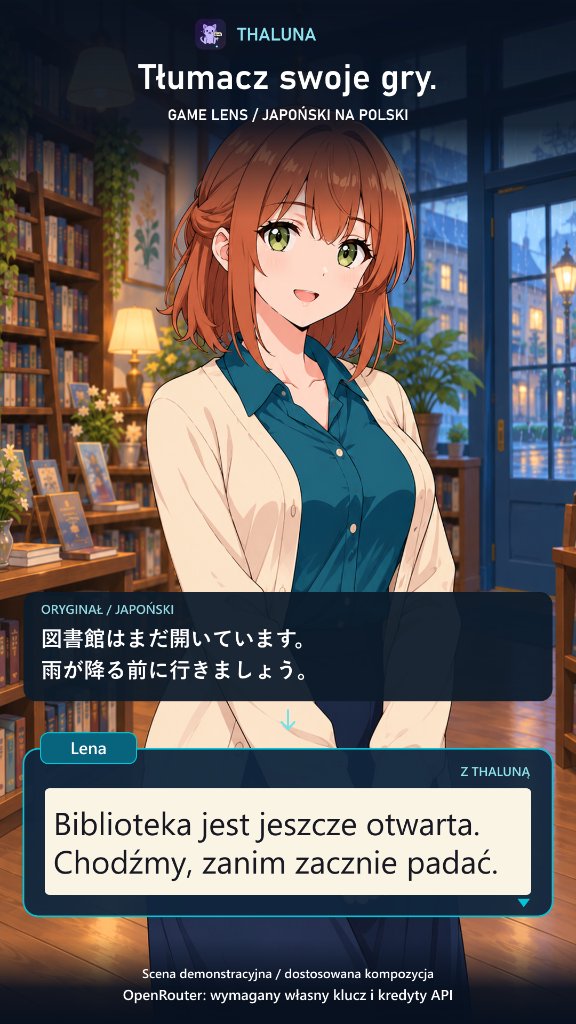
Thaluna Android Game Lens translating Lena library scene from Japanese to Polish
01 · ANDROID GAME LENS

Dialogue translated in place.

Replaces the original Japanese or foreign dialogue box directly on your phone screen so you stay immersed in the story.

02 · ANDROID MANGA & COMICS

Stay on the comic page.

Reads speech bubbles on your phone screen and places translated text directly inside the panels without switching apps.

03 · ANDROID NEARBY LENS

Keep the original visible.

Want to see both languages at once? Nearby Lens places a clean translation card right next to the original dialogue box.

Download Thaluna Free on Google Play ↗
How Translation Works

Works offline out of the box. Connect AI only if you want to.

You don’t need to know anything about AI models or API keys to use Thaluna.

INCLUDED FOR FREE · NO SETUP

1. Built-in Offline Translation (Default)

When you download Thaluna on Windows (or download a language pack in Basic Offline on Android), the translation models are stored right on your device.

  • No account or registration required
  • No internet connection needed while playing
  • Zero extra cost—translate as much as you want in Full
  • Runs on your regular CPU (or GPU if supported)
100% OPTIONAL · FOR ADVANCED USERS

2. Optional Smart AI (Ollama or OpenRouter)

Want higher literary accuracy for slang, character names, Japanese Study breakdowns, or Read Aloud voices? You can optionally connect an AI engine:

  • Local AI (Free on your PC): Connect Ollama, LM Studio, or any local model running on your computer.
  • Cloud AI (OpenRouter): Paste your own OpenRouter key to use modern cloud AI models and voice read-aloud (billed directly by OpenRouter).
Windows Language Directory

Reads 6 script families. Translates into 71 languages.

Choose the language Thaluna reads from the screen separately from the language you want to receive.

日本語 Japanese (Horiz & Vert)
中文 Chinese Text
한국어 Korean Text
English English Games & Menus
Кириллица Cyrillic Script
Latin A–Z European Scripts
Setup and help

Start with the Complete Guide.

Choose a reading mode, check supported languages, or solve a setup problem.

New to Thaluna?

Install the portable Windows demo, select your languages and set up your first translation.

Open Complete Guide
Before You Download

Frequently Asked Questions

Clear, honest answers about how Thaluna works on Windows, Android, and Linux.

Will Thaluna work with my game?

Thaluna reads visible text instead of relying on a separate integration for each game. That makes it useful across many games, but not universally compatible: screen capture, fonts, text size, subtitle timing, the chosen engine and your device all affect the result. Try several passages from your own game with the Windows demo before buying.

Can I use it in games with anti-cheat?

Do not assume that an overlay is permitted just because it does not change game files. Check the game's rules and the publisher's guidance for third-party tools. We cannot guarantee compatibility with every anti-cheat system or that using Thaluna is allowed in every online game. Do not disable or bypass anti-cheat to make it work.

Will it translate every game perfectly?

No. Thaluna reads visible text using OCR. Results depend on fonts, text size, backgrounds, capture compatibility, language and translation engine. Try the Windows demo with your own content; Android offers Free access on Google Play.

Can I get a refund?

Refund requests are handled by the store where you bought Thaluna, under its applicable policy. For Microsoft Store purchases, see Microsoft returns and refunds. For itch.io purchases, contact itch.io support with your purchase information. Please do not post private order details on the public forum. For technical problems, use our Help page.

Which Windows download should I choose?

Choose Microsoft Store for one-click installation and updates on Windows 11. Choose itch.io for the portable ZIP on Windows 10 or Windows 11 —or to try the free demo first.

Why are the Windows downloads around 6.8 – 7.6 GB?

Because the offline translation models are included right inside the download! That way Thaluna can translate games immediately without needing an internet connection, cloud account, or API key.

What is the difference between the Windows Demo and Full?

The demo includes every mode, language, and engine. It gives you 30 successful translations or 20 active minutes (whichever comes first) to test your own games, once (no daily reset). Failed or empty attempts do not use the allowance; downloading again does not reset the demo. Full ($4.99 on itch.io; local Store prices vary, one-time) removes all time/translation limits and DEMO markings, and includes lifetime updates.

Do I need to play in Windowed or Borderless mode?

Yes. On Windows, use Windowed or Borderless Windowed mode in your game settings so the Thaluna overlay can appear on top of the game screen. This only changes a display setting—it never modifies game files.

Do I need to understand AI models or API keys to start?

Not at all. Start with the included offline translation on Windows or Basic Offline on Android. Ollama and OpenRouter are completely optional extras if you ever want them later.

Does one purchase include both Windows and Android?

No, Windows and Android are separate products. However, buying on itch.io includes both the Windows and Linux versions in a single purchase.